AI that doesn’t just answer. It does the work.
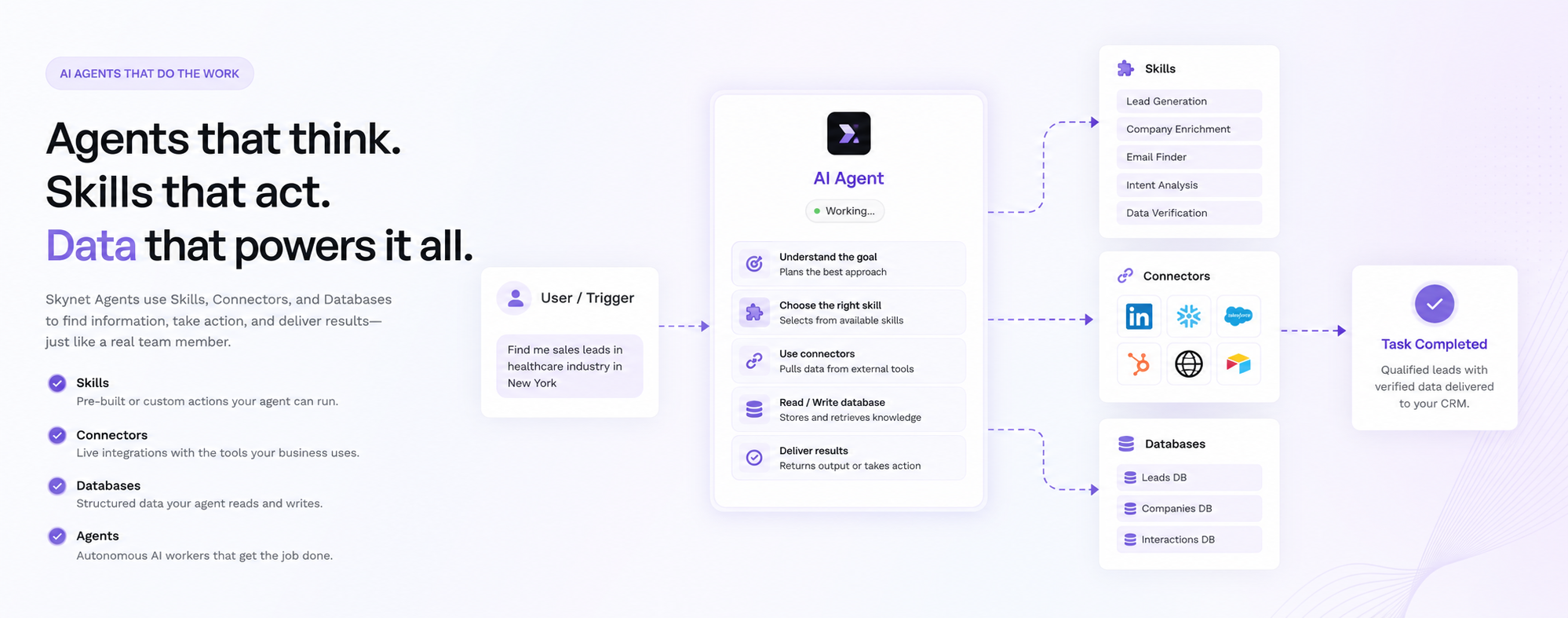
Agents are AI workers inside Skynet. They pick up your Skills, work with your Databases, and execute the task instead of answering a question about it.

Powered by:
 OpenAI


'/%3e%3cdefs%3e%3clinearGradient%20id='gemini-grad'%20x1='0'%20y1='31.16'%20x2='31.16'%20y2='0'%20gradientUnits='userSpaceOnUse'%3e%3cstop%20stop-color='%234893FC'/%3e%3cstop%20offset='0.52'%20stop-color='%235E84F1'/%3e%3cstop%20offset='1'%20stop-color='%239476F8'/%3e%3c/linearGradient%3e%3c/defs%3e%3c/svg%3e)

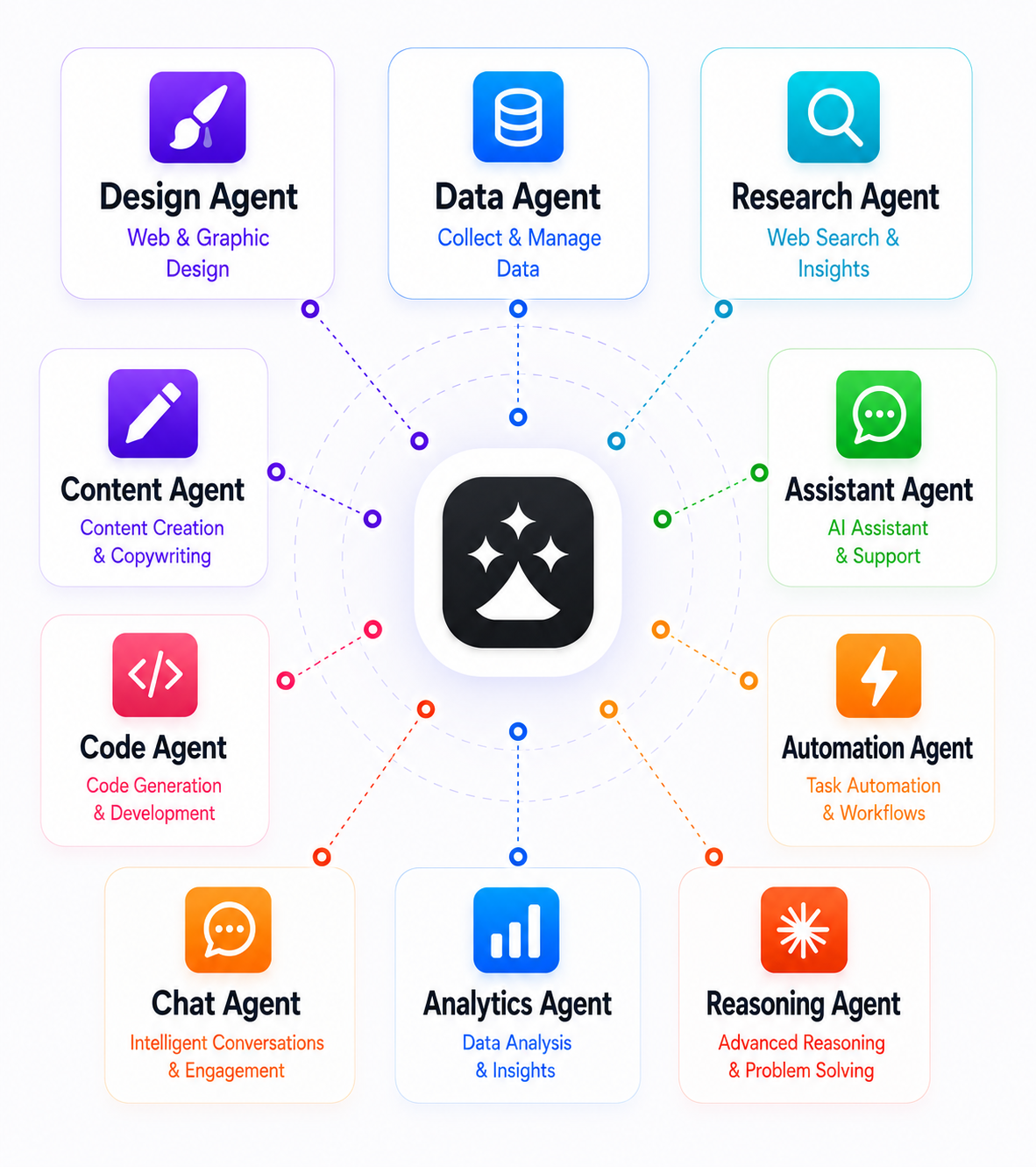
An agent for every kind of job
Research, content, code, design, analysis, automation. Create your own from the agent dashboard, brief it once, and it works through the steps rather than handing back a reply.
Skills are the expertise
A Skill holds the instructions for how a job should be done. An agent combines as many Skills as the work needs, so expertise your team has already captured gets used again instead of rewritten.
Agents that work with your data
Agents read, write and update your Skynet Databases as they work, under the permissions you set. Several agents can share the same Database, so they build on each other’s output.
On demand, on a schedule, or on a trigger
Start an agent yourself when you need it. Put recurring work on a schedule that runs as often as the job demands. Or let it start automatically when something happens.
Work that compounds
Agents don’t start from nothing. Each run writes what it produced into a Database, so the next agent, or the next Skill, picks up where the last one finished instead of doing the job twice.
- [1]
Ask
Give the agent a goal, or let a schedule or a trigger start it for you.
- [2]
Execute
It picks up the Skills the job needs and works through the steps.
- [3]
Produce
It comes back with finished work, not a suggestion of how to do it.
- [4]
Store
The result is written to a Database, where the rest of your workspace can reach it.
- [5]
Reuse
The next agent reads what is already there instead of producing it again.
And round again. Every run starts from what the last one left behind, which can reduce unnecessary repeated processing and model and API costs.
What teams put their agents on.
Explore all use cases- Automate weekly reporting
Put the weekly report on a schedule. The agent gathers the numbers, writes the summary and files the result, so the next run starts from it.
- Resolve support tickets in Slack
A ticket lands and an agent picks it up, drafts the reply from what your team has answered before, and escalates only what needs a person.
- Respond to security alerts faster
Triggered the moment an alert fires. The agent gathers the context, checks it against past incidents and hands your team a briefed response.
- Competitive intelligence
A research agent tracks what competitors ship and publish, stores each pass, and reports only what actually changed since the last one.
- Turn data into decisions
Hand an agent the raw numbers. It runs the analysis, explains what moved, and writes the findings somewhere your other agents can use them.
- KPI tracking
Agents keep your metrics current on a schedule, flag the ones drifting off target, and keep the history so trends outlive any one chat thread.
How to put an agent to work
Get Started Free- [1]
Create your agent
Open the agent dashboard and describe the job you want done, in plain language.
- [2]
Give it skills
Attach the Skills that hold the expertise. An agent can combine as many as the work needs.
- [3]
Connect a database
Point it at the Database it should read from, and write its results back to.
- [4]
Choose how it runs
Run it yourself, set a schedule, or let a trigger start it. Then let it work.
The industry’s most generous AI app
We offer 10x more value than any mainstream AI provider
1. Register
No Upfront payment required
2. Create new Chat
Start chatting with our models
3. Get more things done
Get things done with mini apps and agents